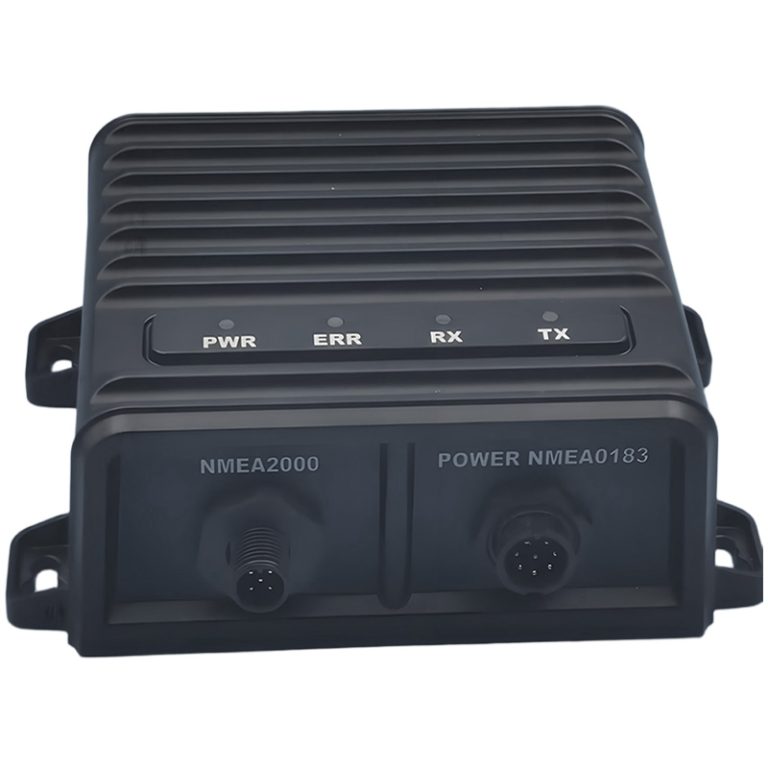
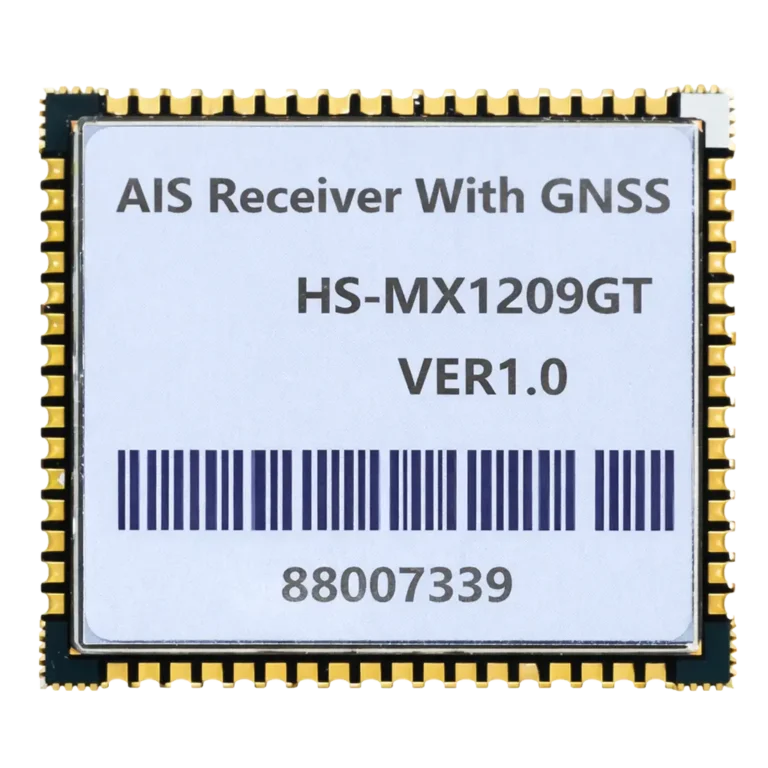
Haisi Measurement and Control Technology


HS-MX1201GT: Multi-Function Embedded AIS Transceiver Module

PRODUCT PARAMETERS
Description
AIS Transceiver Module
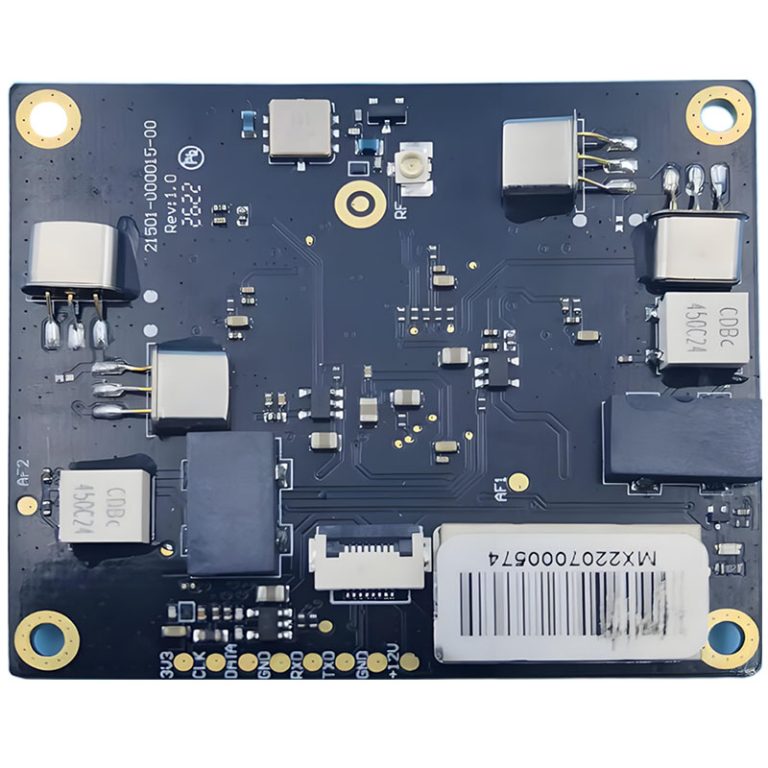
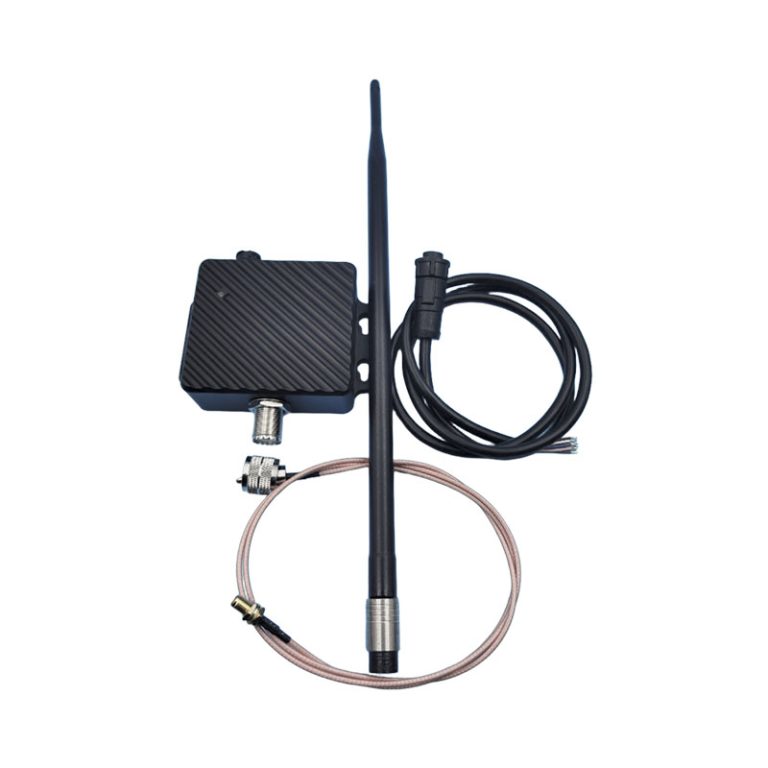
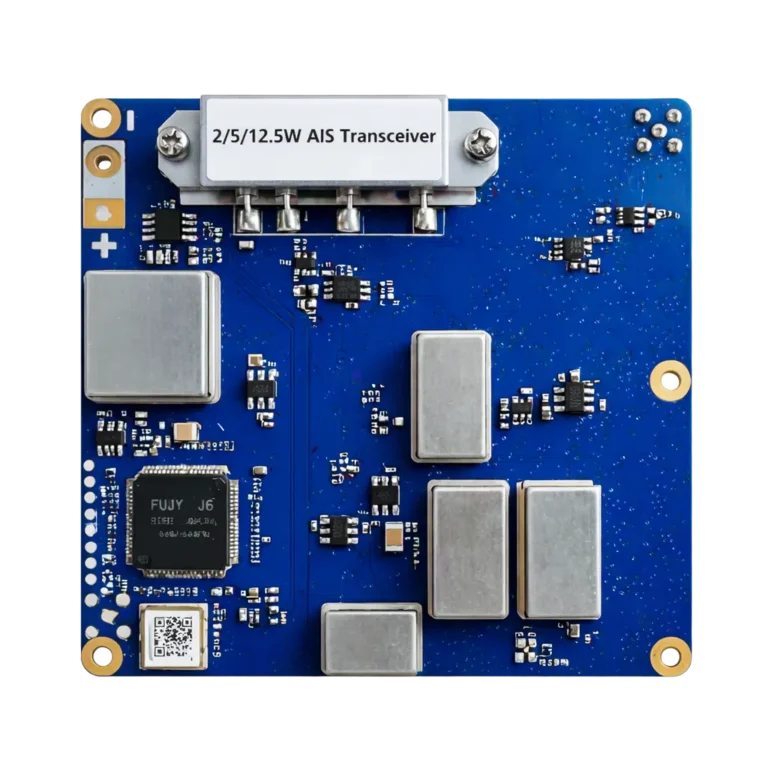
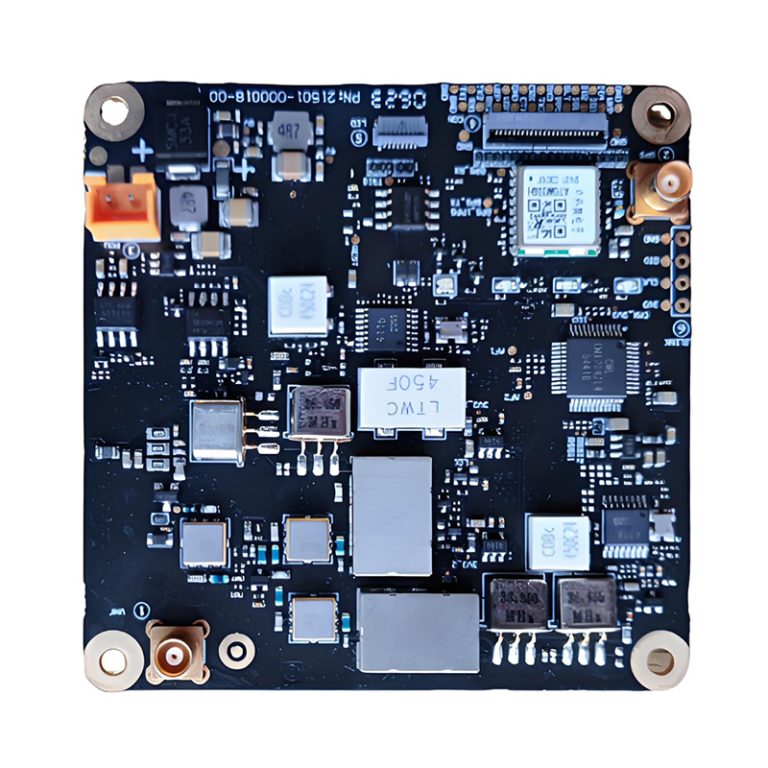
The HS-MX1201GT is our next-generation, fully integrated embedded AIS (Automatic Identification System) module solution. Designed for versatility and reliability, it delivers critical navigation assistance and communication capabilities for a wide range of maritime applications. Whether for vessel collision avoidance, smart aids to navigation (AtoN), or port management systems, the HS-MX1201GT provides a robust, low-power, and cost-effective core for your marine electronics.
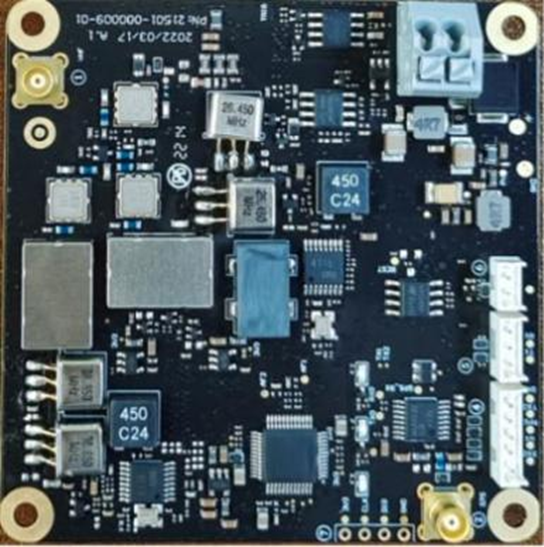
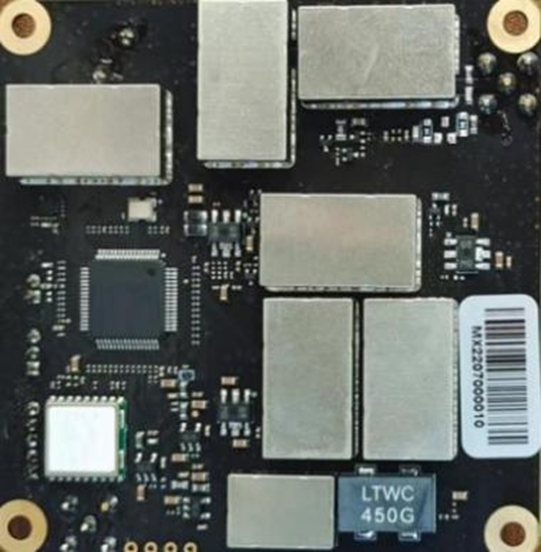
Figure 1 Physical Diagram
2. Features and Functions
- Features a dedicated AIS processor SoC chip
- Fully integrated AIS transceiver module
- Supports low and high transmit power of 2W and 5W
- Meets ultra-high sensitivity reception requirements down to -119dBm
- Compatible with the requirements and specifications for AIS AtoN with Types I/II/III
- Supports automatic receiving and processing of AIS message from other vessels or VTS shore stations
- Extracts position, heading, speed, and other information, encapsulating data in standard AIS message format
- Complies with IEC 60945, IEC 62287-1, IEC 62320-2, and ITU-R M1371-5 standards
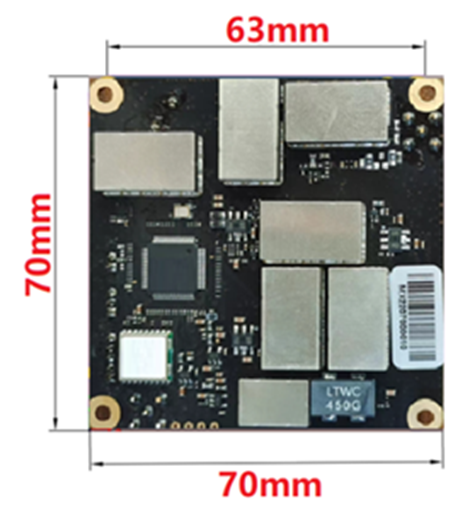
- Ultra-compact size (70mm x 70mm x 14mm), suitable for embedded and miniaturized AIS applications
- Suitable for general maritime communication and navigation systems, portable shore-based stations, inland and offshore navigation aids, offshore platforms, marine buoys, smart fisheries, offshore wind power equipment, and bridge collision avoidance warning systems.
3. Technical Specifications at a Glance
For developers and system integrators, the HS-MX1201GT offers a superior technical profile:
| Parameter | Specification |
|---|---|
| AIS Channels | 161.975 MHz (AIS1), 162.025 MHz (AIS2) |
| Receiver Sensitivity | ≤ -119 dBm |
| Output Power | 2W / 5W (Selectable) |
| Operating Voltage | 9V to 36V DC |
| Communication Port | TTL & RS232 (NMEA 0183) |
| Baud Rate | 38,400 bps |
| Operating Temperature | -20°C to +60°C |
Versatile Applications
The HS-MX1201GT AIS transceiver module It is engineered to address the demands of modern maritime technology. Its primary applications include:
- Marine Navigation and Communication Equipment
- Smart Aids to Navigation (AtoN) & Integrated Nav-Aid Lights
- Bridge Collision Avoidance Warning Systems
- Maritime Electronic Fences and Portable AIS Base Stations
- Offshore Platforms, Marine Buoys, and Smart Fisheries
- Offshore Wind Farm Equipment Monitoring
4. Dimensions (unit: mm)
5. Interface Definition
| Connector ① | |||
| Serial Number | Definition | Connection Instructions | Remarks |
| ① | VHF | Connect to AIS Antenna | MCX (female) |
| Connector ② | |||
| Serial Number | Definition | Connection Instructions | Remarks |
| ② | GPS | Connect to GPS/BeiDou Antenna | MCX(Female) |
| Connector ③ | |||
| Serial Number | Definition | Connection Instructions | Remarks |
| ③ | GND | Power Supply Negative | |
| VCC | Power Supply Positive,_12V DC | ||
| Connector ④ | |||
| Serial Number | Definition | Connection Instructions | Remarks |
| ④ | TXD | RS232 data output | Customization |
| RX | External GPS, TTL Serial Input | ||
| 1PPS | UTC second pulse input | ||
| RXD | RS232 data input | ||
| GND | Ground | ||
| Connector ⑤ | |||
| Serial Number | Definition | Connection Instructions | Remarks |
| ⑤ | TX | TTL Output | |
| RX | TTL Input | ||
| GND | Ground | ||
| Connector ⑥ | |||
| Serial Number | Definition | Connection Instructions | Remarks |
| ⑥ | SILENT | Silent Switch | |
| GND | Ground | ||
6. Connections
6.1 Power Supply
12VDC(Typical) regulated power supply input. Note polarity.

Figure 3 Power Supply Connection
6.2 Communication Interface
Use an RS232-to-USB adapter cable to connect to a PC. Configure the correct COM port with a baud rate of 38.4 kbps. A universal serial debugging tool is recommended. The following diagram illustrates an RS232 DB9 male connector.
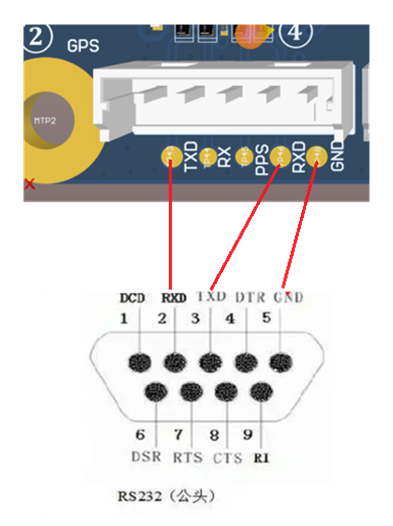
Figure 4 RS232 Communication Connection
6.3 AIS and GPS Antenna Connection
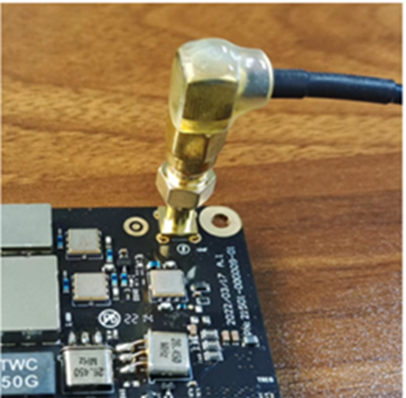
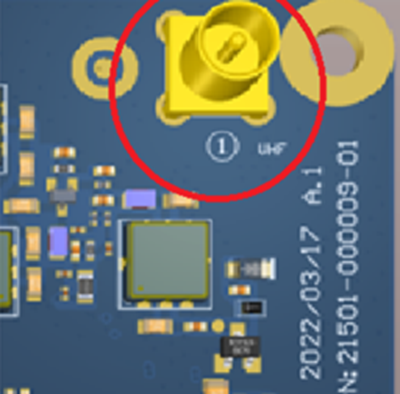
Figure 5 VHF Antenna Connection
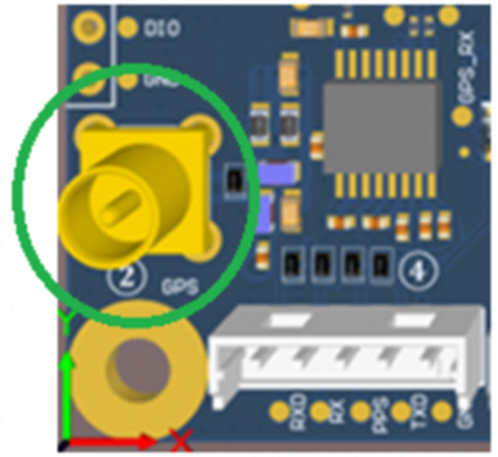
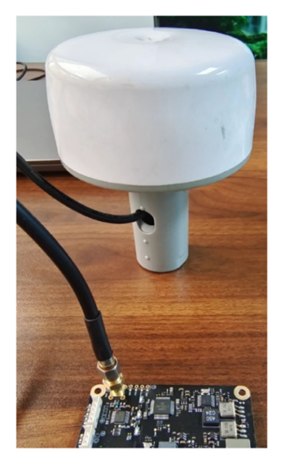
Figure 6 GPS Antenna Connection
7. Status and Indicator Light Description
7.1 POWER Indicator
When the module is connected to a 12V power source, LED1 remains solid yellow after power-up.
7.2 TX Transmission Indicator
LED3 flashes when an AIS message is being transmitted.
7.3 GPS Positioning Indicator
When the module’s GPS has acquired a position, LED2 remains solid red; otherwise, the indicator continues to flash.
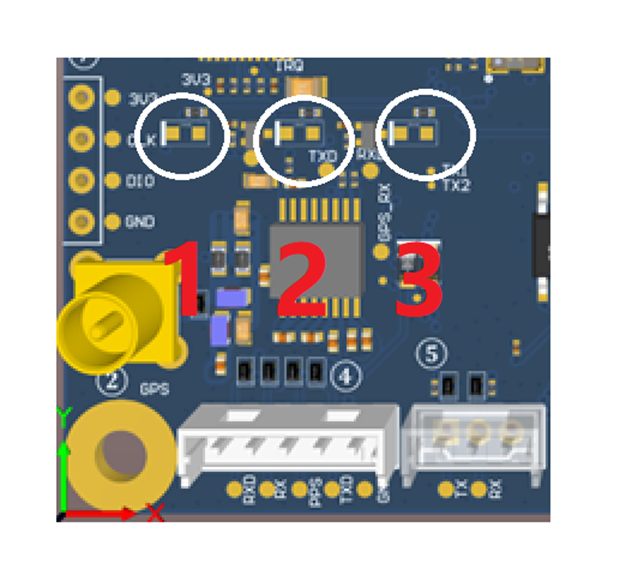
Figure 7 Operating and Status Indicators
8. Default Settings
8.1 Manufacturing Default
The module ships in AIS portable base station mode, supporting features like virtual beacons, and defaults to outputting correctly parsed AIS message data via the RS232 serial port.
The module supports two positioning modes. When using an external active GPS antenna input or the module’s built-in GPS signal reception, no hardware modification is required. Simply configure the following software commands:
$PAIS,CMD,C,GPS_SOURCE,BUILT-IN68 $PAIS,CMD,C,GPS_SOURCE,NMEA018309.
By default, the module disables GPS data output. To enable GPS data output, configure it via serial software using AT commands.
8.2 Hardware Configuration and Precautions
To operate the module in AIS Class B mode, configure via software commands over the RS232 serial port. Refer to Figure 4 for RS232 serial communication connections.
To switch to TTL communication, configure the circuit by relocating the two resistors circled in red in Figure 8 to the corresponding positions circled in red below, thereby enabling TTL communication.
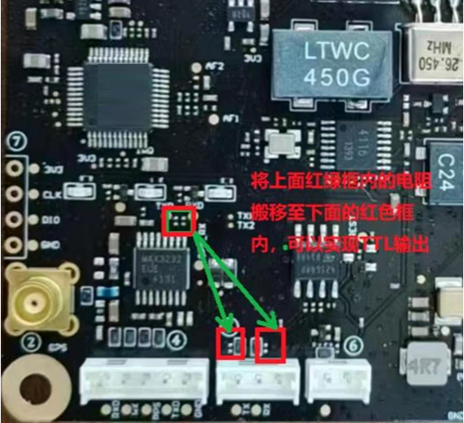
Figure 8 TTL Communication Port Configuration
9. Software Configuration
Please refer to the <HS-MX1201GT Configuration Command Guide>.
10. Ordering Model Summary
| Product Model | Communication Port | Function | Code | MOQ | Remark |
| MX1201GTHC | 3.3V TTL | AIS Class B | 32001-000017-01 | 10+ | None |
| MX1201GTTA | 3.3V TTL | AIS AtoN | 32001-000017-02 | 10+ | Yellow |
| MX1201GTHA | RS232 | AIS AtoN | 32001-000019-00 | 1000 | Custom |
REQUEST A QUOTE
You must be logged in to submit the form.
FAQs
Does this module include a built-in GPS receiver?
No, the HS-MX1203GT module itself does not have a built-in GPS. It requires an external active GPS/BeiDou antenna connected via its MCX-female connector to obtain its own position, which is essential for transmitting AIS messages.
What is the default configuration, and how do I program it for my vessel?
The module ships with generic factory settings. You must configure it with your vessel's specific MMSI number, name, and call sign using our provided AIS CONFIGURATION PC software and a TTL-to-USB adapter cable. Once configured, these details are stored in the module.
Can I temporarily turn off the AIS transmission (Silent Mode)?
Yes. The module features a SILENT pin. By pulling this pin low (to GND), you can disable AIS transmission for privacy or in security-sensitive areas while continuing to receive AIS data from other vessels.
What kind of antenna should I use with this module?
You need two separate VHF antennas:
A dedicated GPS/GLONASS/BeiDou active antenna for the GPS port.
Using high-quality, properly installed antennas is critical for optimal performance.
A dedicated AIS VHF antenna for the VHF port.
I'm designing a new device. Is technical documentation available?
Yes. We provide comprehensive documentation for integrators, including:
Schematic for Typical Application Circuits
Please contact our technical support team to access these resources.
Datasheet & Pinout Definitions
NMEA Protocol Guide
Configuration Command Manual
What is the Minimum Order Quantity (MOQ) for this module?
The MOQ for standard models like the HS-MX1203GT is typically 10 units. We also support customizations for larger volume orders. Contact our sales team for an exact quote.
Do you offer sample orders for testing and evaluation?
Yes, we encourage and support product evaluation. Sample orders are available. Please get in touch with us to arrange a sample and discuss your testing requirements.
Still have questions? Contact our technical sales team for expert advice.